
Minimalist Workstation Principles For a graphic designer a minimalist workspace reduces visual noise and supports creative clarity. Prioritize essential tools such as a powerful laptop a single external monitor a calibrated color accurate display a compact keyboard and a precise mouse or trackpad. Limit decorative items keep one plant or one framed print to add warmth without distraction. Choose neutral surfaces like matte white light oak or charcoal to allow designs to stand out and reduce glare. Apply a consistent color palette across accessories to visually simplify the field of view and speed decision making.
Ergonomic Laptop Centric Layout Place the laptop on a slim riser or stand so the screen is at eye level to protect the neck. Use an external keyboard and a low profile mechanical or chiclet keyboard positioned ten to fifteen centimeters from the desk edge with a comfortable wrist rest if needed. The external monitor should be slightly angled toward the primary seating position at arm length. For long design sessions switch between laptop screen and monitor to relieve eye strain. Incorporate a supportive office chair with lumbar support and adjustable height set feet flat and knees at about ninety degrees.
Lighting and Color Accuracy Natural light is ideal orient the desk perpendicular to windows to reduce reflections. Supplement with a color temperature adjustable LED desk lamp capable of matching ambient light and maintaining accurate color perception during evening work. Use bias lighting behind the monitor to reduce eye fatigue and increase perceived contrast. For color critical tasks use a hardware calibrator and a monitor with high sRGB and Adobe RGB coverage ensure the laptop color profile syncs with the external display.
Cable Management and Minimal Tools Implement under desk cable trays magnetic clips or adhesive channels to keep cables hidden and reachable. Use a single USB C hub placed behind the laptop stand to consolidate power external drive and monitor connections. Keep only essential physical tools on the desk sketch notebook a single pen or pencil and a drawing tablet or compact pen display if required. Store infrequently used items in shallow drawers or dedicated boxes to maintain a clean surface.
Optimizing Digital Workflow Organize desktop files into consistent folders and use cloud storage with selective sync to keep the local drive fast. Maintain a lightweight launcher app keyboard shortcuts and a well structured color swatch library inside design software. Automate repetitive tasks with actions scripts and templates for social posts portfolio exports and client deliverables. Use a task manager integrated with calendar to block deep design sessions apply the Pomodoro technique with focused intervals and short breaks.
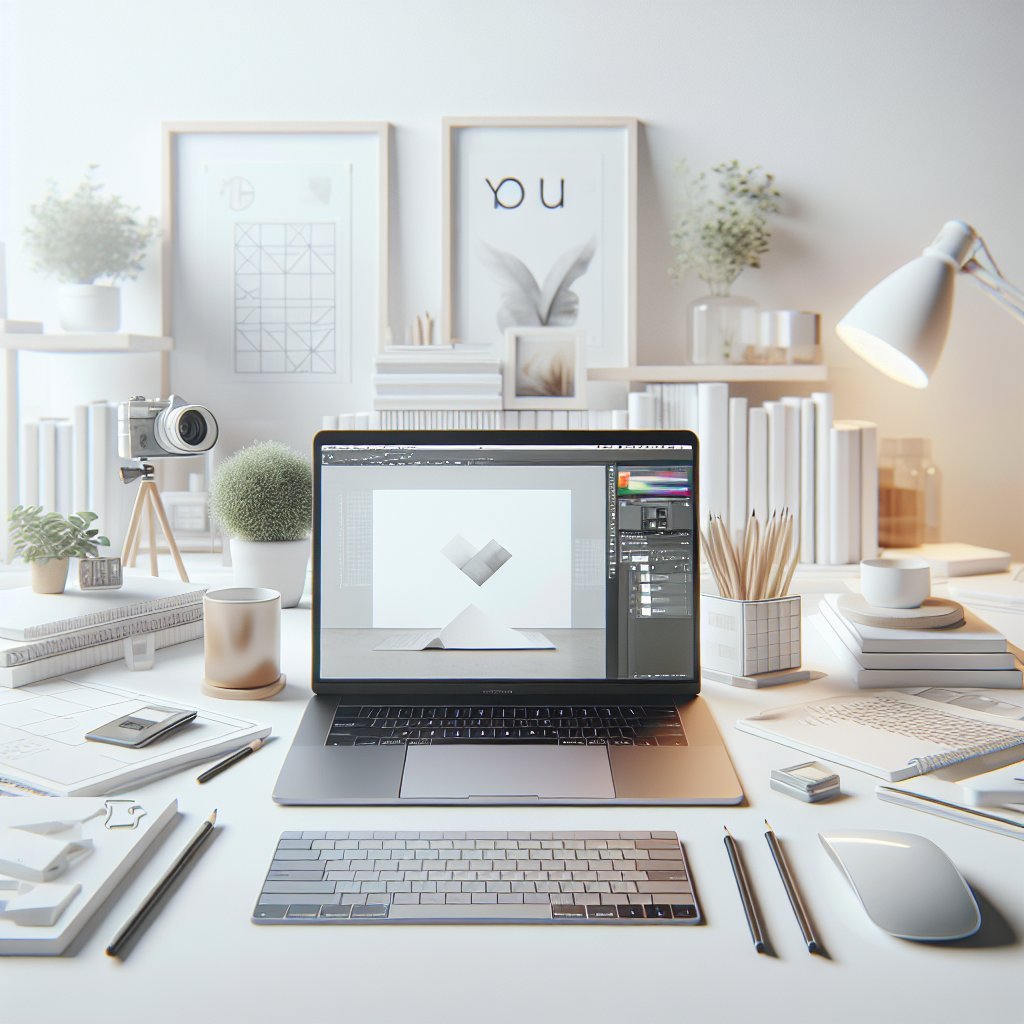
Aesthetic and Branding Considerations A minimalist workspace can reflect professional branding choose accessory colors that echo your portfolio primary tones. Display a single crisp print or portfolio book on a small stand to showcase your style. Keep business cards in a slim leather or metal holder. For client calls maintain a neutral uncluttered background and consider a subtle branded pinboard outside the camera frame for personality.
Hardware and Peripherals for Productivity Select a laptop with a high performance CPU at least sixteen gigabytes of RAM fast SSD storage and a dedicated GPU if you handle motion or three D projects. Pair with an external monitor with an IPS or mini LED panel and at least a 1000 to 1 contrast ratio. Choose a low latency pen tablet or pen display with tilt and pressure sensitivity for illustration work. Invest in a quality audio setup compact studio monitors or closed back headphones and a small microphone for accurate sound during video edits and client calls.
Maintenance and Daily Routines Start each day with a sixty second desk reset clear stray items wipe the surface and open only the folders needed for the day tasks. Weekly dust vents and keyboard update software and back up work to a second drive or cloud. Every quarter audit tools and remove or donate unused gear. Maintain a minimal plant such as a succulent or a small pothos that requires low care and improves air quality and well being.
Inspiration Without Clutter Use digital mood boards instead of physical piles of reference material. Create a single inspiration folder per project with saved color palettes typography samples and composition sketches. For tactile reference keep only one magazine or one sketchbook accessible at a time. Rotate what is visible to preserve freshness while avoiding accumulating visual clutter.
Final Practical Checklist Laptop on riser with USB C hub external monitor calibrated compact keyboard ergonomic mouse or pen tablet adjustable chair neutral desk surface single decorative element cable management selective cloud sync backup daily desk reset and weekly maintenance.
Desk Size Lighting and Placement Aim for a desk at least one hundred twenty centimeters wide and sixty deep to accommodate a laptop a monitor keyboard and a tablet with room to sketch. If you prefer standing alternate between seated and standing positions using a height adjustable desk and set ergonomics for both heights. Place frequently used objects within a forty five centimeter radius to avoid reaching and micro pauses that interrupt flow. Keep the laptop power brick and external drive in a ventilated shelf below the desk to reduce noise and heat on the main surface. Use matte desk mats to reduce glare protect the surface and anchor a design zone visually. Integrate a small vertical storage rail at the desk edge for hanging tools notebooks and a phone to keep the desktop clear. Choose materials that age well and are easy to wipe such as lacquered wood powder coated metal and glass and avoid shiny plastics that attract fingerprints. Consider sustainable choices like refurbished laptops modular stands and recycled desk organizers to reduce environmental impact while maintaining style. For teams working in hybrid environments create a portable kit with a compact wireless keyboard a foldable stand and a single cable for easy transition between home and studio. Label storage clearly and use neutral labeled containers to speed retrieval reduce clutter and maintain a calm creative atmosphere every day.