
Ergonomic Desk Setup for Creative Designers Using a Laptop
Workspace layout and desk height Position your desk so you have at least 24 to 30 inches of clear tabletop depth for sketchbooks, pads, and drawing tablets while allowing a laptop and peripherals to sit comfortably. Adjust desk height so forearms are parallel to the floor when typing; ideal elbow angle is roughly 90 to 110 degrees.
Laptop position and external devices Elevate the laptop screen to eye level using a sturdy laptop stand or stack of books to reduce neck flexion. Position the top of the screen approximately at or 2 inches below eye level; this minimizes chin tuck and preserves cervical posture. Invest in an external keyboard and mouse — mechanical or low-profile depending on preference — and place the keyboard centered to your body with the mouse within a short, relaxed reach.
Chair, posture and support Choose an adjustable chair with lumbar support, seat depth control, and armrests that can be lowered or removed. Sit back fully against the lumbar support, maintain feet flat on the floor or on a footrest, and keep knees at approximately hip level. For creative workflows, alternate sitting with standing using a height-adjustable desk; ensure the same elbow and screen-height rules apply when standing.
Lighting, glare and color Use a combination of ambient and task lighting to reduce eye strain and preserve accurate color perception. Position task lights behind and to the side of the dominant hand to avoid reflections on glossy tablets and screens. Reduce blue light at night, calibrate your display for color-critical work, and use a monitor hood or matte screen protector when working with bright windows.
Cable management and accessories Organize cables with trays, clips, or Velcro ties to keep the workspace uncluttered; a clean desk reduces cognitive load and improves focus. Use a USB hub and dock to centralize power, external storage, and display connections; mounting the dock under the desk saves surface space.
Movement, breaks, and micro-ergonomics Adopt the 20-8-2 split: 20 minutes sitting, 8 minutes standing, and 2 minutes moving or stretching for each half hour of focused work; adapt intervals to personal comfort. Micro-ergonomics includes wrist rests, angled keyboard trays, and frequent short eye breaks following the 20-20-20 rule (every 20 minutes look 20 feet away for 20 seconds).
Materials, texture, and creative ergonomics Select tactile surfaces that feel good to touch — soft desk mats, textured mouse surfaces, and pen grips — since sensory comfort can boost creative flow and reduce fatigue. Incorporate vertical storage for sketches, mood boards, and reference materials within eye height to minimize repetitive twisting.
Testing your setup and iterative optimization Run A/B tests of desk height, monitor distance, and keyboard angle across several days; record discomfort levels, productivity metrics, and creative output to find configurations that balance ergonomics and inspiration. Use wearable posture trackers or simple phone photos to evaluate alignment, and tweak over weeks rather than making abrupt changes.
Ergonomic checklist for laptop designers Checklist: screen at eye level; external keyboard and mouse; adjustable chair with lumbar support; feet flat or on footrest; task lighting and calibrated display; cable management and dock; frequent standing and movement; tactile surfaces and reachable vertical storage; test and iterate weekly.
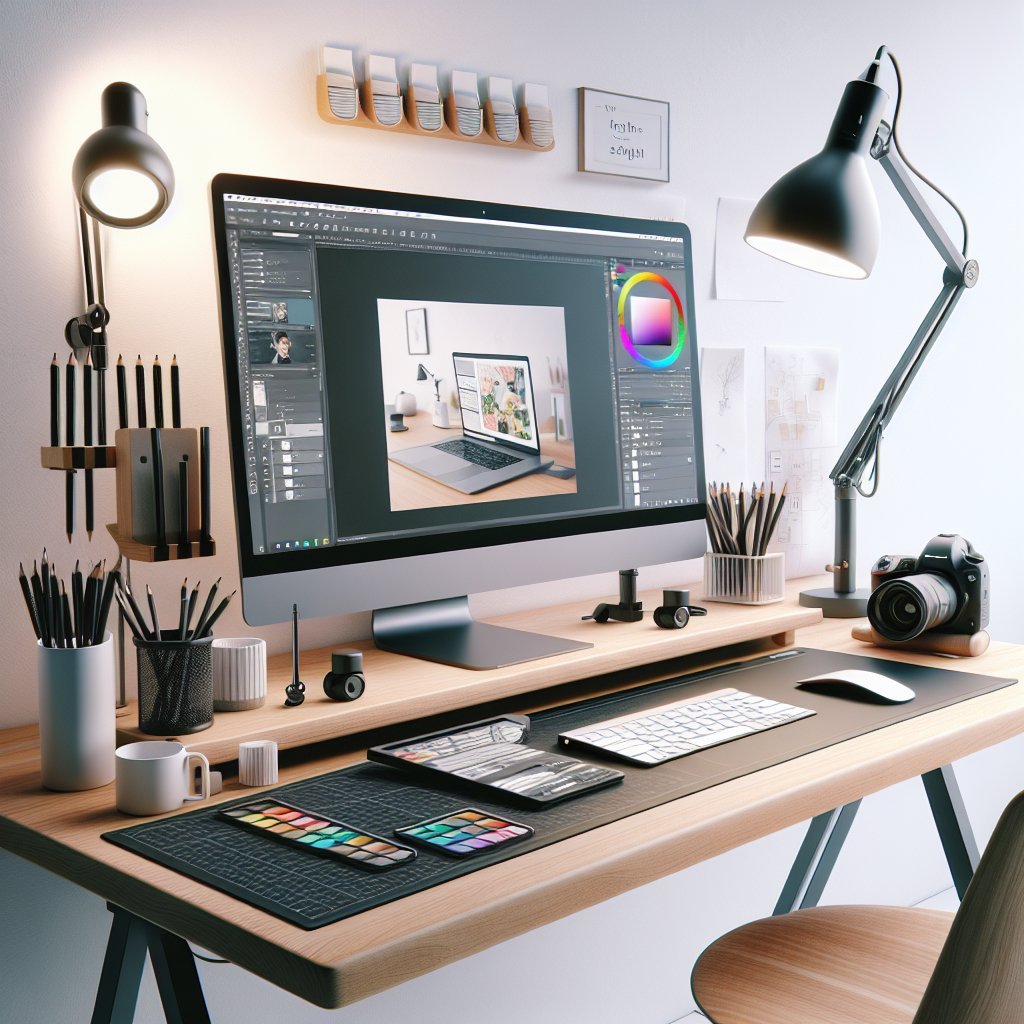
Peripherals and display options Consider a portable external monitor or a vertical second display to expand canvas space; designers benefit from 27-inch IPS panels with accurate sRGB or Adobe RGB coverage for color-critical tasks. Docking stations that support dual monitors, PD charging, and fast data allow seamless transitions between studio and mobile work.
Thermals, ventilation, and laptop placement Keep the laptop elevated to improve airflow; laptops throttle performance when vents are blocked, which can impede rendering and compiling. Consider passive cooling stands or small quiet fans when working long sessions on demanding apps like 3D, animation, or video editing.
Acoustics, headphones, and focus Treat sound as part of ergonomics: ambient noise impacts concentration and creativity. Use soft furnishings, rugs, and acoustic panels to reduce reverberation in small spaces. Invest in open-back headphones for mixing and closed-back or ANC for deep focus depending on need; ensure long-term comfort with breathable ear pads.
Software ergonomics and workflow Optimize apps and shortcuts to reduce repetitive gestures: customize shortcut maps, use hotkeys, and leverage macro pads or stream decks for frequent actions. Adopt cloud sync and fast external drives to avoid long waits; backup and version control protect creative iterations and reduce stress during deadlines.
Budget and portable ergonomic setups Low-cost improvements include a folding laptop riser, an inexpensive external keyboard, and a supportive cushion; even simple changes can deliver measurable ergonomic benefits. For designers on the move, compact docks, foldable stands, and ultra-portable mice maintain posture without sacrificing mobility.
Greenery, ergonomics and well-being Indoor plants, air purifiers, and adequate hydration support cognitive function and reduce fatigue; place a small plant within peripheral vision to boost mood without cluttering the main workspace.
Lighting scenarios and color accuracy For color-critical tasks, use neutral gray surroundings and dimmable lights to avoid color casts; re-check work on multiple calibrated devices and under consistent lighting conditions.
Personalization and creative cues Incorporate mood boards, tactile samples, and a curated shelf of inspiring objects within sight to trigger ideas; ensure personalization does not obstruct ergonomics or workspace hygiene.
Routine checks and professional help Perform monthly ergonomic audits: check chair settings, desk clearance, screen calibration, and peripheral placement. Seek an ergonomic assessment from a physical therapist or occupational therapist if persistent discomfort or pain occurs.
Measuring ROI and productivity Track time spent on tasks, creative output, and subjective comfort scores before and after ergonomic changes to quantify return on investment; improved ergonomics often correlates with fewer errors, faster render times, and longer creative sessions.
Quick practical tips Rotate tool layout every few months, back up calibration profiles, measure screen distance roughly arm’s length, alternate dominant hand tasks when possible, and schedule creative sprints with structured breaks to sustain ergonomic health and consistent output. Reassess every quarter and adjust based on feedback regularly, collaboratively.