
1. Designate a Single, Purpose-Built Work Zone
Choosing a consistent, dedicated work area anchors your brain to “focus mode” and cuts down on visual noise. Whenever possible, select a spot with natural light, minimal foot traffic, and a door you can close. Even in a small apartment, you can carve out a workspace with a compact desk, a folding partition, or a bookshelf used as a room divider. Keep non-work items out of sight; limit the surface to your computer, notepad, and one or two essential tools. Use a single color palette and simple décor to reduce distractions and create a calm, cohesive visual field. This focused setup helps establish boundaries, which is essential when living and working in the same space.
2. Optimize Your Desk Layout for Workflow
A cluttered desktop breeds decision fatigue and mental stress. Arrange your workspace using a “zones” strategy: keep frequently used items—keyboard, mouse, notebook, pen—within arm’s reach, moderately used tools like reference books or a scanner in a nearby drawer or shelf, and rarely used gear farther away. Use a monitor stand to raise your screen to eye level, freeing space underneath for small trays or docking stations. Place a small caddy on the non-dominant side of your desk for pens, sticky notes, and charging cables, preventing items from drifting across the workspace. A clean, intentional layout makes it faster and easier to transition between tasks without losing focus.
3. Conquer Cable Clutter with Smart Management
Visible wires are a top source of visual chaos in home offices. Start by mapping all devices—monitor, laptop, printer, speakers, and chargers—and determine the ideal plug-in points. Use under-desk cable trays, adhesive raceways, and reusable Velcro straps to bundle wires together along a single route. Label each cord at both ends with simple tags so you can quickly trace and replace devices without unplugging everything. Consider a surge-protected power strip mounted under the desk or behind furniture to keep plugs off the floor. Wireless peripherals like a Bluetooth keyboard and mouse reduce cable volume, while a multi-port USB hub can centralize charging and data connections.
4. Use Vertical Space for Storage and Inspiration
When floor and desktop space are limited, look up. Wall-mounted shelves, pegboards, and rail systems turn unused vertical space into efficient storage. Place reference books, labeled document boxes, and magazine files on upper shelves, keeping frequently accessed materials at eye or shoulder level. A pegboard above your desk can hold headphones, scissors, charging cables, or small baskets for office supplies. Mix function with motivation by dedicating part of the wall to a whiteboard or corkboard for goals, timelines, and idea clusters. This vertical organization keeps essential items visible but off the desk, simultaneously improving organization and sparking creativity.
5. Implement a Smart Document Management System
Paper can quickly overwhelm even a tidy setup. Start by going digital wherever possible: scan receipts, notes, and contracts using a smartphone scanner app or dedicated scanner. Store files in a cloud-based system like Google Drive, OneDrive, or Dropbox, using a consistent folder structure by client, project, or date. For the physical documents you must keep, adopt a three-tier approach: “Active” (in a desktop file sorter), “Reference” (in a nearby file cabinet), and “Archive” (in labeled boxes stored away). Review your “Active” and “Reference” folders weekly, purging or digitizing what you no longer need. This hybrid system reduces paper piles and makes it easy to find information quickly.
6. Create Task-Specific Zones for Deep Work and Admin
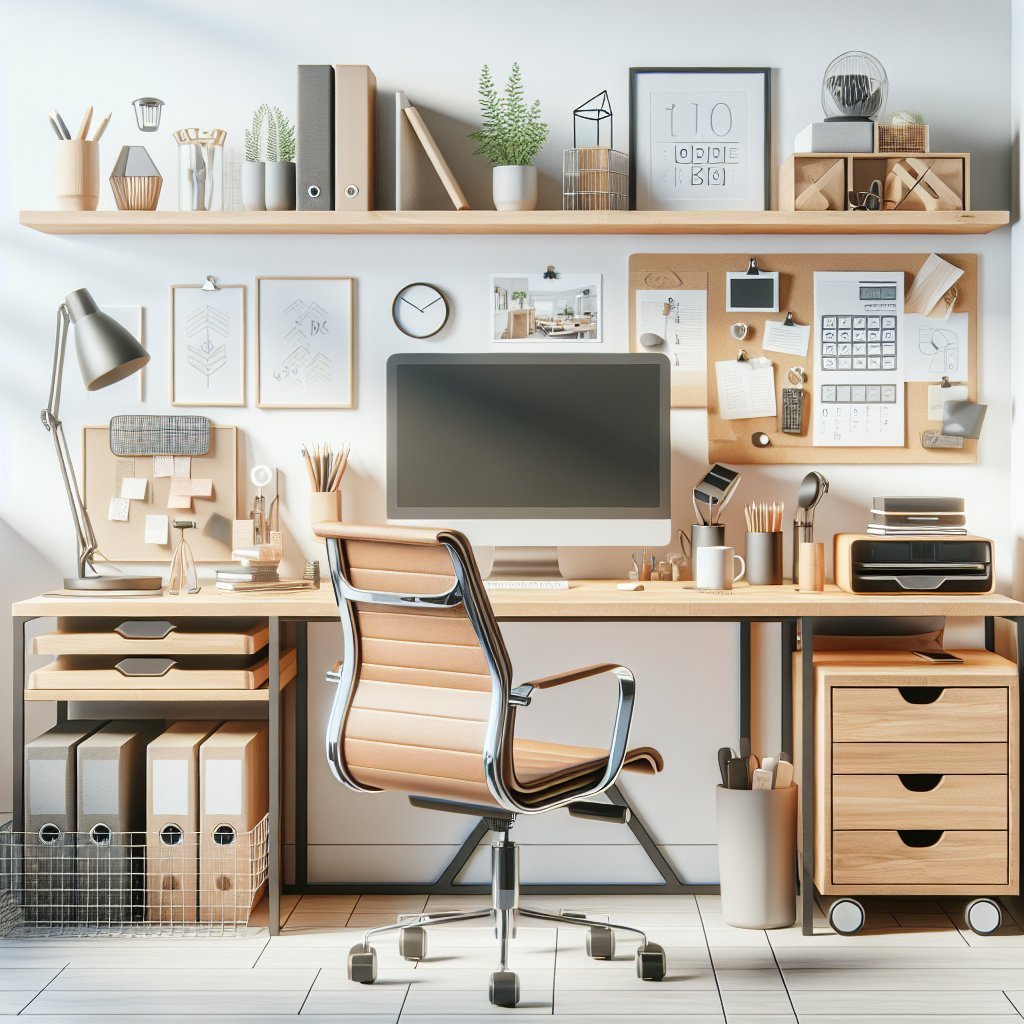
Multifunctional home offices benefit from clearly defined task zones. Dedicate one area of your desk—or even a separate table—for computer-based deep work like writing, coding, or design, and another smaller surface for admin tasks such as sorting mail, signing documents, or planning. Use visual cues like a desk mat, different lighting, or a separate chair to signal the shift in activity. Store relevant tools in each zone: your deep-work zone might have noise-canceling headphones and a timer, while the admin area has a shredder, file folders, and envelopes. By physically separating tasks, you reduce mental switching costs and maintain higher-quality focus.
7. Leverage Smart Lighting for Focus and Energy
Lighting has a direct impact on productivity and eye strain. Combine natural light with adjustable artificial lighting to create a balanced environment. Position your desk perpendicular to windows to reduce glare on screens while still benefiting from daylight. Use a smart desk lamp with adjustable color temperature: cooler, blue-enriched light (around 5000K) supports alertness during morning work blocks, while warmer light (around 3000K) is better for late-night sessions. Integrate smart bulbs and routines through platforms like Philips Hue or LIFX to automate brightness changes throughout the day. Proper lighting enhances concentration, reduces fatigue, and can subtly signal when it’s time to wind down.
8. Integrate Smart Storage Solutions and Modular Furniture
An efficient home office grows with your workload instead of fighting against it. Modular desks with attachable drawers, rolling filing cabinets, and adjustable shelving units offer flexibility as needs change. Use stackable clear bins or labeled baskets inside cabinets to group similar items—tech accessories, stationery, reference materials—so you can find what you need without digging. Consider furniture with hidden compartments, like benches with storage or ottomans that hold extra supplies. If you share the space, color-code or label zones by person or project. Smart, modular storage prevents the slow creep of clutter and allows you to reconfigure the workspace as your projects evolve.
9. Automate Routines with Smart Home Devices
Use smart home technology to reduce friction and maintain organization. A smart speaker can set voice-activated timers for focused work sprints, remind you of upcoming meetings, or add supplies to a shared shopping list when you run low on ink or paper. Smart plugs can power down non-essential devices at the end of the workday, reinforcing boundaries between work and personal time. Automated blinds can adjust to prevent screen glare, while a smart thermostat keeps the temperature comfortable for extended concentration. These small automations save mental bandwidth, ensuring your energy goes toward meaningful work rather than micro-managing your environment.
10. Maintain a Weekly Reset and Digital Declutter Ritual
Even the best systems decay without maintenance. Schedule a standing 15–30 minute weekly reset to restore order. During this time, clear your desk surface entirely, wipe it down, and only return items that genuinely belong. File or shred leftover papers, return tools to their designated zones, and restock everyday supplies like sticky notes or printer paper. Extend this ritual to your digital space by clearing downloads, organizing project folders, and archiving completed work. Delete or mute obsolete email newsletters and tidy your desktop icons. A consistent reset prevents clutter from compounding, keeps your systems trustworthy, and lets you start each week from a place of clarity and control.