
Minimalist Desk Essentials for Creative Designers
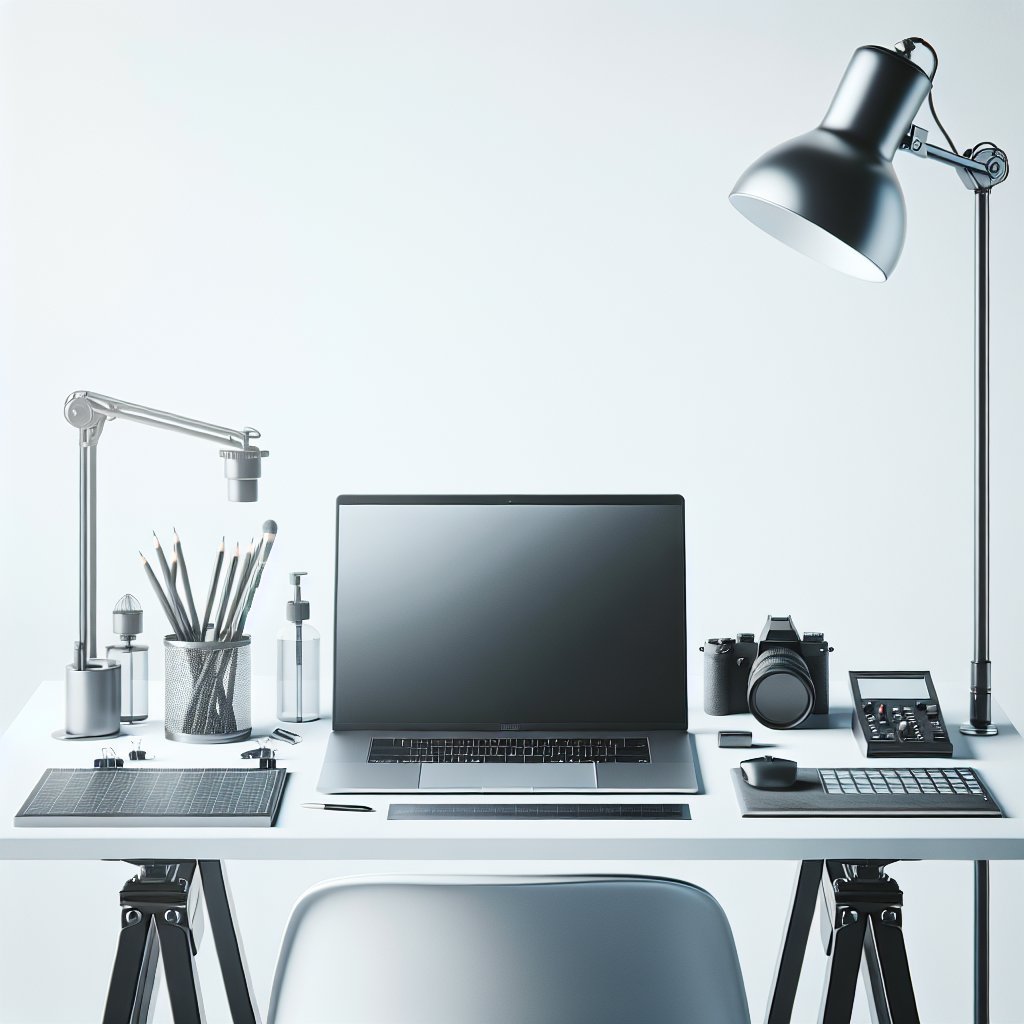
A minimalist desk anchored by a capable laptop should prioritize clarity, flexibility, and inspiration. Begin with a clean desktop surface—solid wood, laminate, or matte metal—between 24–36 inches deep to accommodate laptop, notebook, and a pen. Opt for a neutral color palette (white, gray, or warm wood tones) to reduce visual noise and highlight creative work. Keep only daily essentials within arm’s reach: laptop, mouse, keyboard, notebook, and a pen. Extra peripherals should live in drawers or closed boxes to sustain minimal visual clutter.
Layout Strategies to Boost Focus
Adopt a “zone” layout: primary work zone centered on the laptop; reference zone to the left or right for sketches, tablets, or printed materials; and tool zone for peripherals, power supplies, and frequently used stationery. Position the laptop slightly off-center if you use an external monitor or drawing tablet. Maintain at least 24 inches of free space in front of the keyboard to allow for sketching or gestural work. Use vertical space for inspiration—pin a rotating mood board above the desk instead of crowding the surface.
Storage and Organizational Systems
Minimalist storage relies on concealment and modularity. Choose one or two low-profile drawers under the desk for cables, chargers, and rarely used gadgets. Magnetic desk trays and shallow boxes keep small items accessible without creating visual disorder. Use a pegboard or narrow shelves above the desk to store reference books and small tools; isolate objects by function and color. Transparent containers are useful for rapid identification, while uniform opaque boxes create a calmer aesthetic. Implement a weekly purge routine to remove items that do not contribute to current projects.
Ergonomics Without Excess
Ergonomics is essential for creative professionals who spend long hours on laptops. Place the laptop on a slim riser so the top of the screen sits at eye level; use an external keyboard and low-profile mouse to maintain neutral wrist positions. A compact, supportive chair with adjustable height and lumbar support preserves posture while keeping the visual footprint small. Consider a sit-stand desk converter for alternating postures; choose one with a minimal silhouette that complements the desk rather than dominates it. Add a thin anti-fatigue mat for standing intervals.
Lighting and Visual Comfort
Good lighting improves focus and reduces eye strain. Combine ambient overhead lighting with an adjustable desk lamp that offers at least two color temperature settings. Prioritize daylight where possible; place the desk near a window but use blinds or sheer curtains to diffuse harsh glare on screen surfaces. Warm, indirect accent lighting behind the monitor can reduce contrast and add depth without clutter. For color-critical design tasks, ensure a neutral, color-accurate lamp and calibrate your monitor regularly.
Cable Management That Disappears
Neat cable management is a cornerstone of minimal design. Route power and display cables through a cable tray or adhesive clips under the desk to keep the surface clean. Use a single multiport hub or docking station to centralize connections, reducing the need for multiple charger bricks on the desk. Velcro straps and short cable sleeves contain excess length. Label both ends of long cables for quick identification. For wireless peripherals, maintain a small charging station stored in a drawer to preserve the uncluttered look.
Choosing Minimalist Accessories
Select accessories that serve more than one function. A weighted desk pad can define the work area and protect the desktop; a slim document holder doubles as a monitor riser. Opt for a minimalist monitor arm to free up desk surface and offer flexible positioning. Choose a compact desk lamp with integrated USB ports to minimize adapters. Prioritize materials with tactile quality—brushed metal, leather, or matte ceramics—so fewer objects feel intentional and premium.
Aesthetic and Personalization Techniques
Minimalism isn’t absence of personality—it’s intentional selection. Curate a few meaningful items: a framed print, a sculptural object, or a single plant. Keep colors limited to a palette of three to create visual cohesion. Rotate artworks or objects seasonally to refresh inspiration without accumulating clutter. Use textual labels or simple icons on storage containers to maintain order and reflect your workflow. Implement a digital declutter routine: organize desktop files, archive completed projects, and maintain a clear virtual workspace that mirrors physical minimalism.
Workflow and Productivity Enhancements
Design workflows benefit from both physical and digital minimalism. Limit open browser tabs and use focused work timers. Position a small analog timer or discreet digital countdown within the primary work zone to manage sprints. Keep a single notebook for ideas and a labeled section for ongoing projects; migrate completed notes to a digital archive weekly. Optimize laptop performance by disabling unnecessary startup apps and using a lightweight external SSD for large files. Backup strategy should be off-desk: automated cloud sync and an external drive stored in a drawer.
Sustainable and Practical Choices
Minimalist design should be sustainable. Choose durable furniture made from responsibly sourced materials and modular components that can be upgraded. Buy fewer, higher-quality tools—reliable keyboards, mice, and laptop stands last longer and reduce waste. Recycle or donate obsolete gadgets rather than hoarding them. Invest in energy-efficient LED lighting and smart plugs to minimize power consumption. A minimal desk facilitates sustainable habits: less consumption, easier maintenance, and a workspace that adapts to changing creative needs.
Material Choices and Finishes
Selecting materials affects both feel and longevity. Solid wood or veneered surfaces add warmth; powder-coated metal provides a clean, industrial look and resists scratches. Matte finishes minimize reflections and hide minor marks, while glass surfaces can look elegant but require constant cleaning. Choose finishes that complement your color palette and lighting choices. Sustainable options include bamboo and FSC-certified wood. For surfaces frequently used for sketching, consider a replaceable desk mat or paper roll integrated into the desk. Small details matter: soft-close drawer runners, rounded edges, and concealed fasteners support a refined minimalist experience. Test textures in person when possible to ensure the tactile quality matches your creative preferences.
Quick Setup Checklist
Laptop, riser, external keyboard, mouse, lamp, cable tray, notebook, docking station, single plant, weekly purge, digital backup