
Maximize Your Space: Creative Desk Ideas for Laptop Users
Small desks can deliver big productivity when designed with intention. Laptop users especially benefit from solutions that prioritize vertical storage, flexible surfaces, and cable control. Below are practical, research-backed strategies to reclaim workspace, reduce clutter, and support ergonomics without sacrificing style.
Choose multifunctional furniture Opt for desks with built-in storage or modular components. A compact desk with drawers, a sliding keyboard tray, or a lift-top surface gives you hidden storage for chargers, notebooks, and peripherals. Wall-mounted drop-leaf desks fold away when not in use, saving floor area in studio apartments. For frequent reconfiguration, mobile desks on casters allow you to change layout quickly to follow natural light or to create temporary collaborative zones.
Prioritize vertical space Shelving above your desk harnesses unused wall area and keeps essentials within sight. Install open shelves for books and decorative bins, then reserve the desktop for active items. Pegboards provide flexible storage for headphones, power strips, and small baskets; they’re customizable and visually tidy. Tall bookcases or ladder shelves placed behind a desk transform vertical height into accessible storage for files and reference materials.
Use laptop stands and monitor arms A laptop stand raises the screen to eye level and reduces neck strain, improving posture during long sessions. For dual-screen setups, pair a laptop with a monitor arm to free desk footprint and maintain ergonomic alignment. Monitor arms clamp to the desk edge, creating under-desk clearance for keyboards and docking stations. Choose sturdy, adjustable arms rated for your monitor weight and with cable-routing channels to reduce tangles.
Integrate smart cable management Tidy cables instantly make a small space feel larger. Use cable trays mounted under the desk to hide power strips and adapters. Velcro ties and cable clips keep cords bundled and routed along legs or walls. Desk grommets channel cables neatly through the surface, preventing them from sprawling across workspace. Label chargers and cables to speed future swaps and reduce time spent untangling electronics.
Incorporate multipurpose accessories Accessories that serve more than one purpose maximize usable area. A monitor riser with drawers elevates the display and stores stationery. Clip-on task lamps free tabletop space while providing directional lighting. Compact docking stations streamline connections for external displays, Ethernet, and storage, so you need fewer cables and devices on the desk. Use vertical file holders to store notepads and documents without spreading them flat.
Optimize lighting and reflectivity Proper lighting reduces eye strain and makes a compact desk feel airy. Position your desk near a window to benefit from daylight; supplement with a warm LED task light for evening work. Reflective surfaces like a light-colored desk top or a small mirror on a shelf bounce light and visually expand the area. Avoid harsh overhead lights; instead, layer light sources so shadows are minimized and contrast is comfortable for screen work.
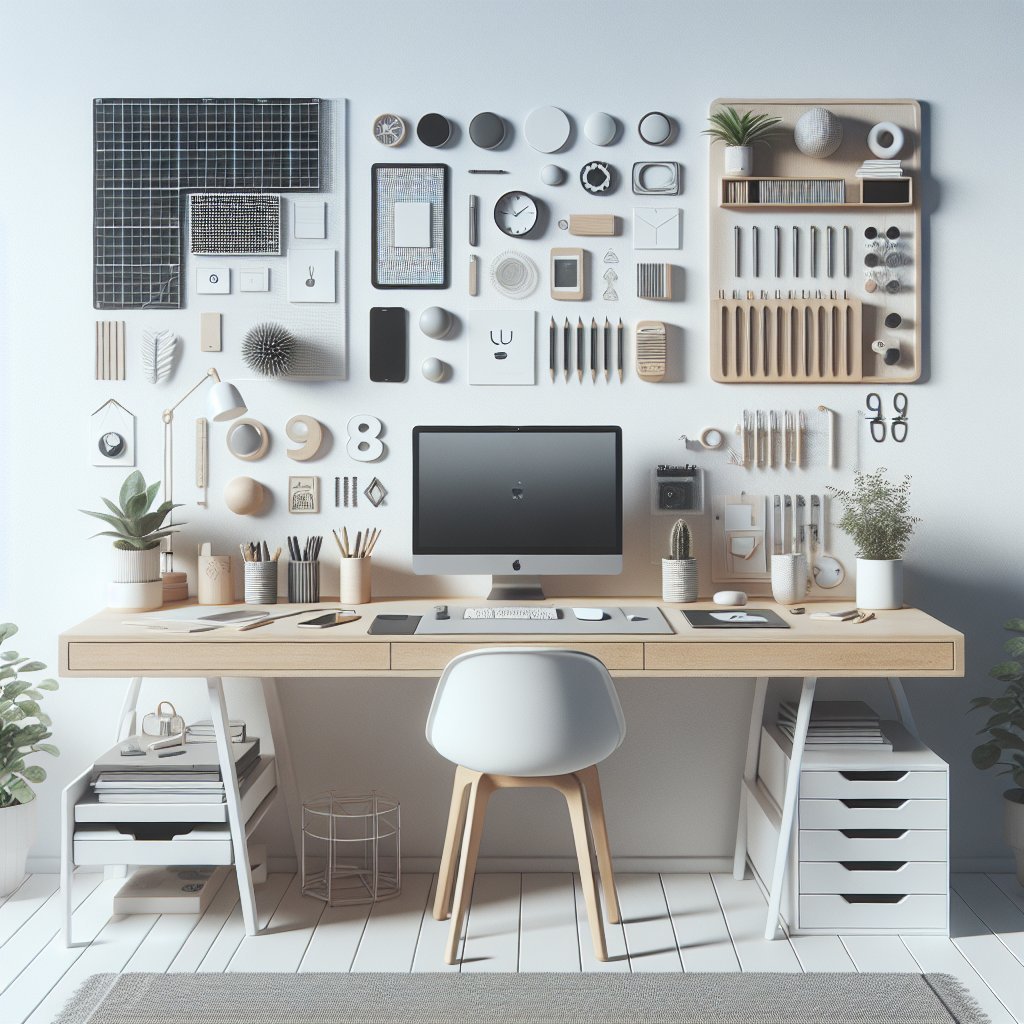
Focus on ergonomics in small spaces Even tiny desks should support healthy posture. Maintain a 90-degree elbow angle by adjusting chair height or using a keyboard tray. Position the top of your laptop screen at or slightly below eye level; if needed, add a separate keyboard and mouse to accommodate elevated stands. Select a chair that provides lower-back support without overwhelming floor space—armless or slim-profile office chairs fit neatly into compact arrangements.
Plan layout examples Corner command center: Install a triangular corner desk with floating shelves above. This layout uses otherwise wasted corner space and creates a dedicated zone for focused work. Window alcove station: Place a narrow desk beneath a window; add a slim shelf above for plants and storage. Natural light improves mood and reduces the need for large lamps. Convertible wall desk: Mount a fold-down desk in a hallway or bedroom. When closed, it hides clutter and looks like a cabinet; when open, it offers a functional workspace for a laptop and mouse.
Select materials and finishes thoughtfully Choose durable materials that reflect personal style while fitting the room’s scale. Light woods and matte finishes make a compact area feel less dense than dark, glossy surfaces. Laminates resist scratches and stains in high-use zones; metal frames add strength without visual bulk. Consider anti-slip pads for stands and trays to keep devices secure on smaller surfaces.
Use compact organization systems Drawer organizers and small baskets reduce desktop accumulation. Magnetic whiteboards or slim cork strips mounted on the wall provide space for to-dos and reminders without taking desk area. Go vertical with stackable trays for incoming and outgoing paperwork. A rotating desktop organizer or lazy Susan allows quick access to frequently used items without sprawling across limited space.
Adopt digital minimalism and routine maintenance Reconsider physical items: scan receipts and notes to reduce paper needs. Regularly purge and rehome items that don’t contribute to daily productivity. Establish a five-minute end-of-day routine to clear the desk, coil cables, and store devices. Consistent habits prevent clutter from building and keep compact workspaces efficient and inviting.
Budget-friendly upgrades Small investments can have major impact. Adhesive shelf brackets create instant overhead storage without drilling; thrifted shelf units can be refinished for cohesion. Second-hand monitor arms and laptop stands offer ergonomic benefits at lower cost. Invest in a single high-quality desk light and a surge protector to safeguard devices over time.
Plants and personalization Integrate small plants to improve air quality and mood; succulents and pothos thrive on shelves with intermittent light. Personal touches like a framed photo or a favorite mug make the workspace welcoming without taking much room. Keep décor minimal and meaningful to avoid visual clutter.
Tech checklist for compact setups Prioritize compact, efficient peripherals: a wireless compact keyboard, a low-profile mouse, and a multiport USB-C hub reduce cable clutter. Use cloud storage and automated backups so fewer external drives are needed. Test wireless peripherals for latency if you do creative or gaming work to ensure performance meets demands.
Quick shopping list Ergonomic laptop stand, monitor arm, clamp light, cable tray, USB-C hub, compact keyboard, slim chair, adhesive shelves, small plants, drawer organizer, surge protector cable ties