
Start with Intent: Defining the Purpose of Your Desk
Before changing anything, clarify what your desk needs to support. A productivity-focused setup is built around your primary work:
- Knowledge work (writing, coding, analysis): Prioritize keyboard comfort, screen clarity, and distraction control.
- Creative work (design, video, music): Plan for color-accurate monitors, audio gear, and space for tablets or instruments.
- Hybrid/remote work: Emphasize video call ergonomics, microphone quality, and quick context switching between tasks.
Write down your top three daily tasks and ensure every major item on your desk exists to make those tasks easier, faster, or less mentally taxing.
Master Ergonomics: Chair, Desk, and Body Position
Ergonomics is the foundation of sustained focus and flow. Poor posture slowly drains energy and increases micro-distractions.
Chair positioning
- Adjust seat height so feet are flat on the floor, knees at ~90°, hips slightly above knees.
- Choose a chair with lumbar support that fits the natural curve of your lower back.
- Keep armrests just high enough so shoulders relax and forearms rest gently.
Desk height and posture
- Ideal desk height usually places elbows at ~90° when typing, with forearms parallel to the floor.
- Shoulders should stay relaxed; if they’re shrugging upward, your desk or chair height is off.
- Sit so your back touches the chair’s backrest; avoid leaning forward toward the screen.
Monitor placement
- Top of the screen at or slightly below eye level.
- About an arm’s length (50–70 cm) from your eyes, adjusted for screen size.
- Angle the monitor so you look slightly downward, reducing neck strain.
These small tweaks dramatically reduce physical fatigue, allowing longer periods of deep work.
Optimize Your Monitor and Visual Environment
For focus and flow, your visual field should be intentional, not chaotic.
Single vs. dual monitors
- Single large monitor (27–32″) supports immersion and less window-juggling. Ideal for writing, coding, or design.
- Dual monitors help if you frequently reference documents, dashboards, or communication tools. Place the primary screen directly in front of you, secondary slightly angled.
Display quality and settings
- Use a resolution that balances clarity and readability (1440p or 4K for 27″+ is ideal).
- Increase font and UI scaling instead of leaning forward to read.
- Calibrate brightness: match screen brightness to room lighting; too bright causes strain, too dim causes squinting.
Reduce digital clutter
- Use full-screen or distraction-free modes for writing, coding, or design.
- Group windows by task on virtual desktops (e.g., one for communication, one for deep work, one for admin).
Build a Keyboard and Mouse Setup for Flow
Your input devices are the tools you touch most; they should disappear into the background of your awareness.
Keyboard essentials
- Choose a comfortable layout (full-size for number-heavy work, TKL or 75% for more mouse space).
- Mechanical keyboards can improve comfort and feedback; opt for quieter switches in shared spaces.
- Keep the keyboard centered relative to your body and monitor, not offset to one side.
Mouse and pointing devices
- Select a mouse shape that supports your natural grip (palm, claw, or fingertip).
- Use a large, smooth mousepad to minimize friction and reduce micro-adjustments.
- Consider vertical mice or trackballs if you experience wrist strain.
Wrist and hand positioning
- Avoid resting wrists heavily on the desk while typing; let hands “float” and move from the shoulders.
- If you use a wrist rest, ensure it supports the palms, not the wrists, to reduce pressure on nerves.
Design Lighting for Focus, Comfort, and Mood
Lighting significantly affects alertness, eyestrain, and mood throughout the day.
Natural light
- Position your desk perpendicular to windows to avoid direct glare on screens.
- If possible, face the window indirectly so you see daylight without squinting.
- Use blinds or curtains to diffuse harsh sunlight, especially in the afternoon.
Artificial lighting layers
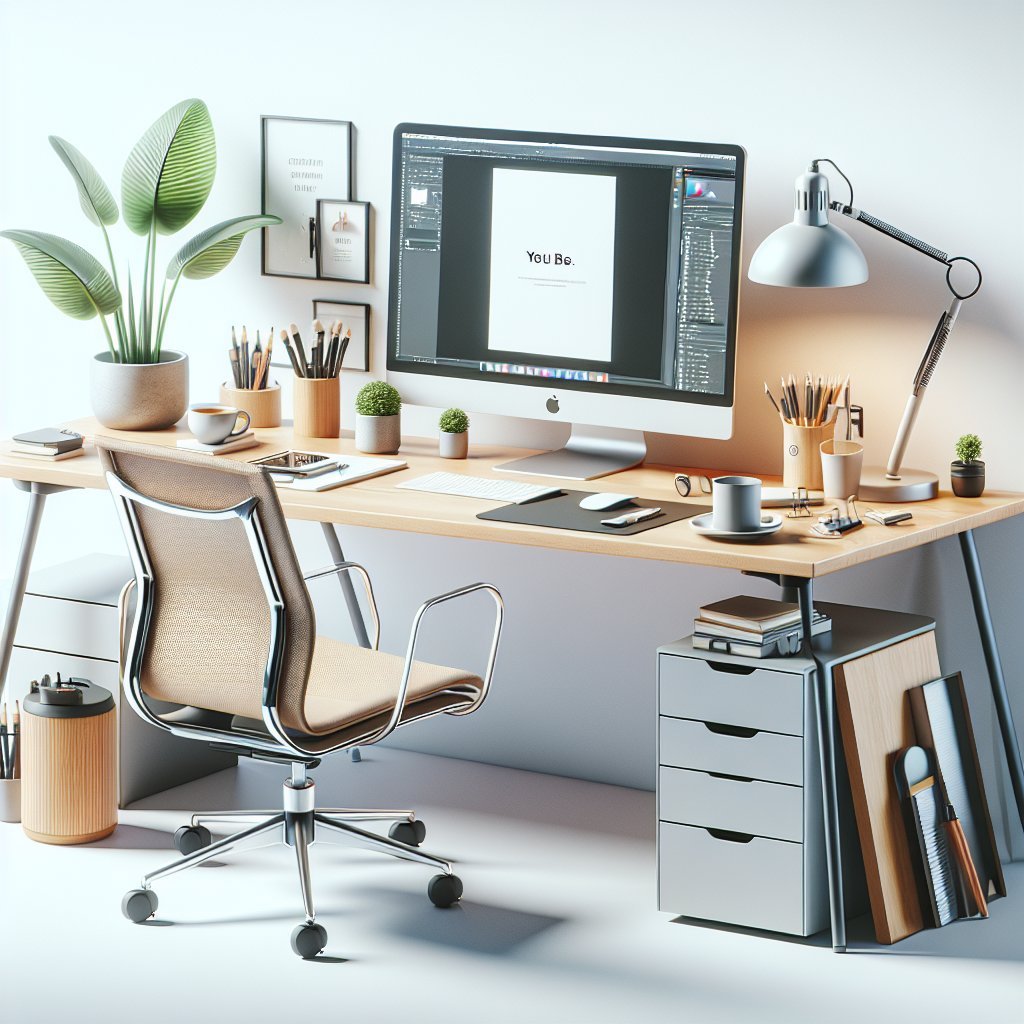
- Ambient light: A ceiling or floor lamp that evenly lights the room to avoid harsh contrasts.
- Task light: A desk lamp with adjustable brightness and direction for reading or writing.
- Bias lighting: Soft light behind the monitor to reduce eye strain in dim rooms.
Color temperature and timing
- Use cooler light (4000–5000K) during daytime to support alertness.
- Shift to warmer light (2700–3500K) in the evening to prepare for sleep and reduce blue-light exposure.
- Enable night modes (blue-light reduction) on screens a couple of hours before bed.
Organize the Desktop for Minimal Friction
Every extra object in your visual field is a potential distraction or cognitive load.
Zone your desk
- Core work zone (directly in front): Keyboard, mouse, primary notebook, and main monitor.
- Active tools zone (within arm’s reach): Frequently used items like pens, sticky notes, reference books, or a tablet.
- Storage zone: Drawers, shelves, or bins for rarely used items.
Reduce visible clutter
- Keep only what you need for today’s work on the surface.
- Use cable trays, clips, and under-desk channels to route charger and monitor cables.
- Store miscellaneous items (chargers, adapters, office supplies) in labeled containers or drawer organizers.
Daily reset routine
- At the end of the day, return tools to their designated spots.
- Remove dishes, trash, and papers not needed tomorrow.
- Reset your desk so the next morning starts with a clean, intentional workspace.
Use Sound and Acoustics to Protect Focus
Sound control is crucial for entering and staying in flow, especially in shared or noisy environments.
Noise management strategies
- Noise-canceling headphones to block ambient chatter, traffic, and HVAC noise.
- Earplugs as a low-tech option for deep focus.
- White noise or brown noise to mask unpredictable sounds—especially useful in open offices.
Soundscapes for flow
- Instrumental music, lo-fi beats, or ambient soundscapes reduce linguistic interference when reading or writing.
- Nature sounds (rain, forest, ocean) can help some people stay in a calm but alert state.
- Avoid playlists with frequent lyrical changes when doing language-heavy work.
Integrate Tools and Tech Intentionally
Technology should streamline your workflow, not complicate it.
Essential devices
- A reliable laptop or desktop with enough power for your typical workload.
- A docking station or hub for a single-plug connection to monitor, power, and accessories.
- High-quality webcam and microphone if video calls are central to your day.
Software for structure
- Task manager or project management app to keep your desk free from scattered to-do notes.
- Calendar with time-blocked focus sessions and meeting slots.
- Distraction blockers or website filters during deep work (e.g., blocking social media during core hours).
Charging and connectivity
- A dedicated charging station or dock on or under the desk to avoid cable chaos.
- Label key cables (laptop, phone, tablet, camera) to reduce confusion.
- Use wireless peripherals where possible to keep surfaces tidy, but ensure you have a charging plan.
Support Habits That Trigger Focus and Flow
A productive desk setup is as much about behavior as equipment.
Create a “start work” ritual
- Sit, place phone face down or in another room.
- Open your task list and choose the single most important task.
- Clear unrelated items from your immediate field of view.
- Put on your “focus” playlist or noise-blocking headphones.
Time and energy management
- Use intervals (e.g., 50 minutes work + 10 minutes break) to preserve mental stamina.
- Stand, stretch, or walk briefly each hour to reset posture and circulation.
- Keep water within reach and avoid constant snacking at the desk to reduce crumbs and clutter.
Visual cues and personalization
- Add one or two meaningful objects (a small plant, an inspiring photo, a quote) to lift mood without overwhelming the space.
- Use color intentionally: greens and neutrals for calm, small accents of brighter colors for energy.
- Keep personal decor limited so your focus remains on work, not on visual noise.
Evolve and Iterate Your Setup
The ultimate productivity desk is not static. It should evolve with your work and your body’s feedback.
- Keep a simple log for a week noting discomfort, distractions, and friction points.
- Adjust one element at a time (chair height, monitor distance, keyboard angle) and test for several days.
- Revisit your setup every few months as projects change, you acquire new tools, or your work style shifts.
By treating your desk as a dynamic system rather than a fixed piece of furniture, you can continually refine it to support deeper focus, smoother workflows, and longer periods of satisfying flow.