
1. Ergonomic Desk and Chair Configuration
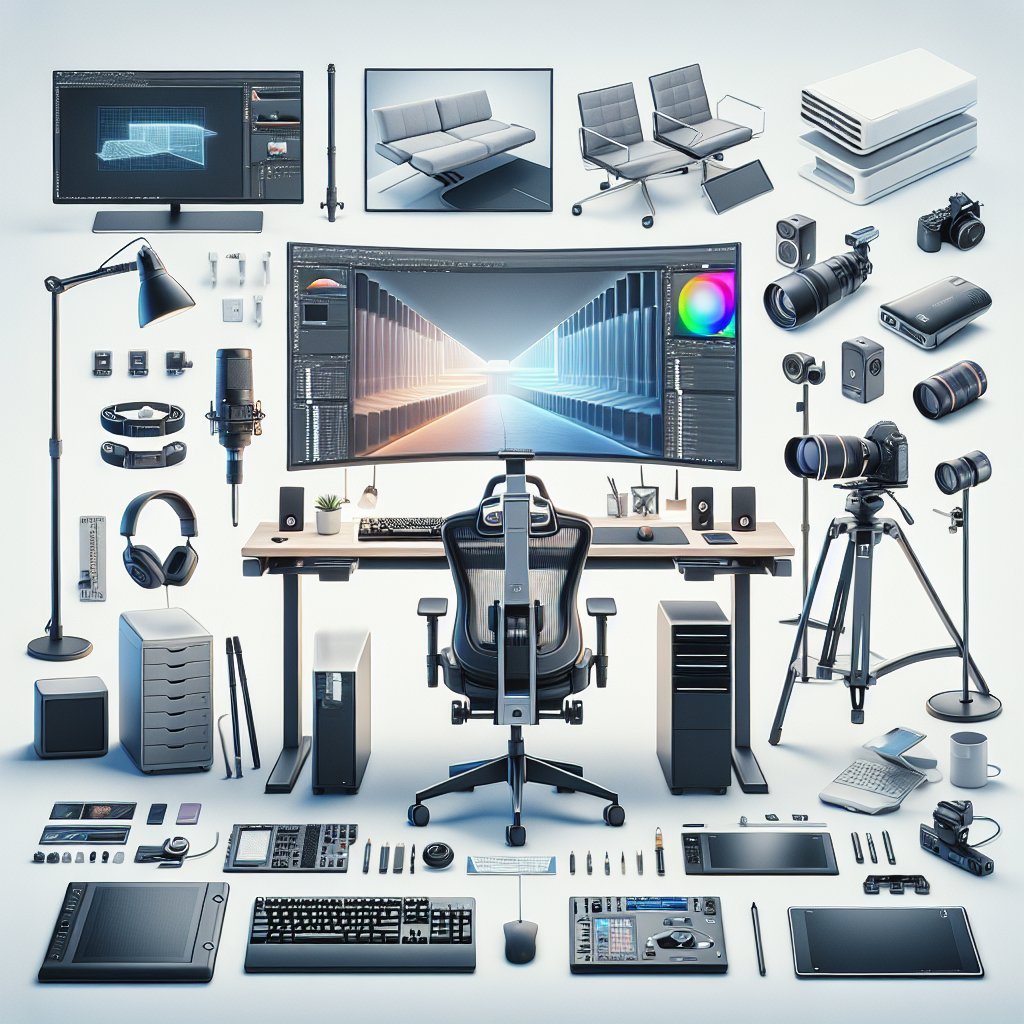
A high-performance digital work setup starts with ergonomics. A height-adjustable desk allows you to alternate between sitting and standing, reducing back strain and improving circulation. Pair it with a chair that offers lumbar support, adjustable armrests, seat height, and tilt tension. Aim for your elbows at roughly 90 degrees, feet flat on the floor, and thighs parallel to the ground. Position the desk so your wrists can remain neutral while typing, avoiding upward or downward bends that cause strain over time. Cable grommets or under-desk trays help keep wires organized and reduce clutter, which can subconsciously increase stress and distraction. For extended sessions, consider an anti-fatigue mat when standing and a footrest when sitting. An ergonomically optimized foundation not only protects long-term health but also supports focus, consistent performance, and reduced fatigue across demanding digital workdays.
2. Optimized Monitor Setup and Visual Comfort
Monitors profoundly impact productivity, eye comfort, and multitasking efficiency. Use at least one high-resolution monitor—preferably 27 inches or larger with 1440p or 4K resolution—for crisp text and detailed visuals. Dual-monitor or ultrawide configurations allow simultaneous viewing of reference materials, communication apps, and primary work windows. Position the primary display so the top edge is at or slightly below eye level, at about an arm’s length distance. Enable blue-light reduction modes in the evening and set brightness to match ambient light levels, minimizing eye strain. Font scaling in your operating system should keep text easily readable without forcing you to lean forward or squint. For color-critical tasks, choose IPS panels with accurate color reproduction and calibrate them regularly. A thoughtfully tuned visual environment boosts both comfort and workflow speed, especially for professionals handling complex digital tasks.
3. High-Precision Input Devices and Workflow Accessories
A responsive keyboard and mouse are essential for high-performance digital work. Mechanical or high-quality membrane keyboards with tactile feedback reduce typing fatigue and errors. Ergonomic keyboards and vertical mice can prevent repetitive strain injuries for heavy users. Choose a mouse with adjustable DPI and programmable buttons to streamline shortcuts in design, coding, or office software. A smooth, large mouse pad supports precise tracking and wrist comfort. Add workflow accessories such as a USB hub, external card reader, or dedicated macro pad for repeated actions. For creative professionals, a drawing tablet or stylus can dramatically improve precision over a mouse. Consider a laptop stand and external keyboard/mouse combination when using a notebook as your main machine; this preserves proper posture while leveraging portability. Well-chosen input devices transform small, constant interactions into efficient, low-friction tasks.
4. Robust Computing Power and Reliable Storage
The core of any digital professional setup is a capable computer tailored to actual workloads. Knowledge workers need sufficient RAM—usually 16–32 GB—for multitasking with browsers, communication tools, and productivity apps. Creators, developers, and analysts may require even more memory and multi-core CPUs. Solid-state drives (SSDs) drastically reduce boot and load times compared with traditional hard drives; NVMe SSDs are ideal for large files and intensive applications. Maintain ample free disk space to avoid performance degradation. For storage resilience, implement a 3-2-1 backup strategy: three copies of key data, on two different media, with one stored off-site or in the cloud. External SSDs or network-attached storage (NAS) can house archives and project libraries. A balanced, well-maintained machine prevents slowdowns, crashes, and data loss that can derail critical digital work.
5. Stable, High-Speed Internet and Network Security
High-bandwidth, low-latency internet is non-negotiable for modern professionals. Aim for fiber or cable connections with upload speeds sufficient for video calls, cloud collaboration, and large file transfers—often at least 20–50 Mbps upload for heavy users. Use wired Ethernet when possible to avoid Wi-Fi congestion and ensure consistent performance. Optimize your router placement, update firmware, and use dual-band or Wi-Fi 6 access points for better coverage. Network security is equally important: enable WPA3 or at least WPA2 encryption, create a strong router password, and change default credentials immediately. Use a reputable VPN when connecting through public or untrusted networks. Enable automatic updates for your operating system, antivirus, and firewall tools. Reliable, secure connectivity protects sensitive data while ensuring uninterrupted collaboration and real-time digital workflows.
6. Professional-Grade Audio and Video for Communication
Remote collaboration depends on clear audio and visuals. Invest in a dedicated USB microphone or quality headset to avoid the muffled, echo-prone sound of built-in laptop mics. Noise-canceling headphones help you focus and maintain call quality in shared or noisy environments. For video, choose an external HD or 4K webcam capable of good low-light performance and accurate color. Position it at eye level to create natural, engaging eye contact during meetings. Combine this with a neutral backdrop or a simple, well-organized shelf; virtual backgrounds are useful but can look artificial if lighting is poor. Test your setup in advance across platforms like Zoom, Teams, or Google Meet. High-quality audio and video enhance professionalism, reduce misunderstandings, and build stronger digital relationships with clients and colleagues.
7. Lighting, Acoustics, and Environmental Comfort
Environmental factors significantly affect performance and well-being. Use a bright, adjustable desk lamp with a diffused light source to avoid harsh shadows and screen glare. Position natural light to the side of your monitors rather than behind or directly in front of them. Neutral white bulbs (4000–5000K) often strike the best balance between warm comfort and alertness. Improve acoustics by adding soft materials—curtains, rugs, or acoustic panels—to reduce echo and background noise during calls. Maintain a comfortable temperature and access to fresh air or air purification to reduce fatigue and allergies. A modest indoor plant can subtly enhance mood and visual comfort. When your environment supports concentration and physical ease, you can sustain longer, more productive digital work sessions.
8. Productivity-Focused Software and Automation
The right software stack is as important as hardware. Use digital task managers or project management tools—like Asana, Trello, or Notion—to keep priorities clear and deadlines visible. Calendar apps, time-blocking techniques, and focus timers reduce context switching and help control your schedule. Leverage password managers for secure, frictionless sign-ins and to maintain strong, unique credentials. Adopt automation tools, such as keyboard shortcut utilities, text expanders, or no-code workflow platforms, to eliminate repetitive tasks. Cloud storage solutions enable seamless file syncing across devices and easy sharing with collaborators. Periodically audit your apps to remove unused tools that clutter workflows and mental space. A curated, integrated software ecosystem transforms your digital setup into a streamlined, high-output workstation.
9. Organized, Distraction-Minimized Workspace Layout
Physical and digital organization directly affect mental clarity. Keep your primary workspace clear of non-essential items, limiting your desktop to core tools like your keyboard, mouse, notebook, and a few reference materials. Use drawers, shelves, or organizers to store cables, adapters, and peripherals. On the digital side, adopt consistent folder structures, naming conventions, and archiving habits. Turn off non-critical notifications on your computer and phone, especially during deep work periods. Place your phone outside arm’s reach or enable focus modes to reduce impulsive checking. Designate zones within your workspace—for focused work, quick calls, and brainstorming—if your room allows. A purposeful layout supports deliberate attention while reducing friction every time you sit down to work.
10. Health, Recovery, and Sustainable Work Habits
High performance is unsustainable without attention to health. Integrate micro-breaks every 30–60 minutes to stretch, hydrate, and rest your eyes using the 20-20-20 rule: every 20 minutes, look at something 20 feet away for 20 seconds. Consider a smartwatch or app-based reminders to stand, move, or breathe deeply. Keep a water bottle within reach and plan balanced meals that maintain steady energy rather than causing post-lunch crashes. If space permits, simple equipment like resistance bands, a yoga mat, or a compact under-desk elliptical can encourage regular movement. Set boundaries around work hours to protect recovery and sleep, as cognitive performance drops sharply with chronic fatigue. By embedding health-conscious routines into your digital work setup, you create a sustainable platform for consistent, long-term professional excellence.