
1. Designate a Single, Distraction‑Free Zone
Freelancers often blur the line between home and office, damaging focus and motivation. Create one dedicated workspace and treat it as non‑negotiable “work territory.” Choose a spot with good natural light, minimal foot traffic, and a door you can close if possible. Remove unrelated items—laundry, kids’ toys, hobby supplies—so your brain associates the zone with concentration, not clutter.
Establish simple rules: no social media scrolling, no TV, and no eating full meals at your desk. If you work in a small apartment, use visual boundaries. A room divider, curtain, or even a specific desk lamp you switch on only when working creates a mental shift into “work mode.” Over time, this consistent environment naturally shortens your warm‑up time and boosts deep‑work capacity.
2. Optimize Your Desk and Chair for Ergonomics
Physical discomfort silently drains productivity. Instead of chasing trendy setups, focus on fundamentals. Your feet should rest flat on the floor, hips slightly above knees, and your back supported so you can sit upright without effort. If a high‑end chair isn’t in budget, use a firm cushion and a rolled towel as lumbar support.
Position your monitor so the top third of the screen is at or slightly below eye level, about an arm’s length away. Raise a laptop with a stand or stack of books, then use an external keyboard and mouse to prevent neck strain. Adjust screen brightness and font size to reduce eye fatigue. These small ergonomic tweaks let you work longer with less pain, preserving energy for high‑value tasks.
3. Use Zoning to Separate Deep Work and Admin Tasks
Mixing intense creative work with shallow tasks breaks momentum. Divide your workspace into micro‑zones tailored to different cognitive demands. At the main desk, keep tools for deep work only: your primary computer, quality headphones, and a clean surface. Move admin work—email replies, invoicing, file management—to a secondary spot such as a side table, standing desk, or even a different chair.
Change zones when you switch task types. This physical shift helps your brain reset and prevents administrative tasks from bleeding into creative blocks. To reinforce the habit, pair each zone with its own rituals: instrumental music and noise‑canceling headphones for deep work; a timer and checklist for admin sessions. Over time, your body associates each zone with a specific mental state.
4. Implement a Digital‑First, Minimal Paper System
Paper piles create visual chaos and hide critical information. Shift to a digital‑first workflow for contracts, receipts, briefs, and notes. Use cloud storage tools like Google Drive, Dropbox, or OneDrive with simple, consistent folder structures—by client, project, and year. Name files descriptively, including dates and version numbers, so you can search quickly.
For inevitable physical documents, set up a compact capture pipeline: an in‑tray, a scanner app on your phone, and a shredder or archive box. Schedule a weekly 15‑minute “paper processing” session. Scan what matters, tag it, then either recycle or file. This habit keeps your desk visually calm while making invoices, NDAs, and tax records instantly findable.
5. Curate a Distraction‑Proof Digital Environment
Your workspace isn’t just physical—your screen is part of it. Declutter your desktop by grouping apps into folders and using a neutral wallpaper to reduce cognitive noise. Configure focus modes on your computer and phone to mute nonessential notifications during work blocks. Silence messaging apps, social media, and promotional emails, but allow calls from key clients or family.
Install a website blocker that activates automatically during scheduled deep‑work windows. Use separate browser profiles: one for client work with only essential tabs and extensions, and another for personal browsing. When your digital environment is curated instead of chaotic, you reduce context switching, which significantly improves output quality and speed.
6. Harness Lighting and Sound to Support Focus
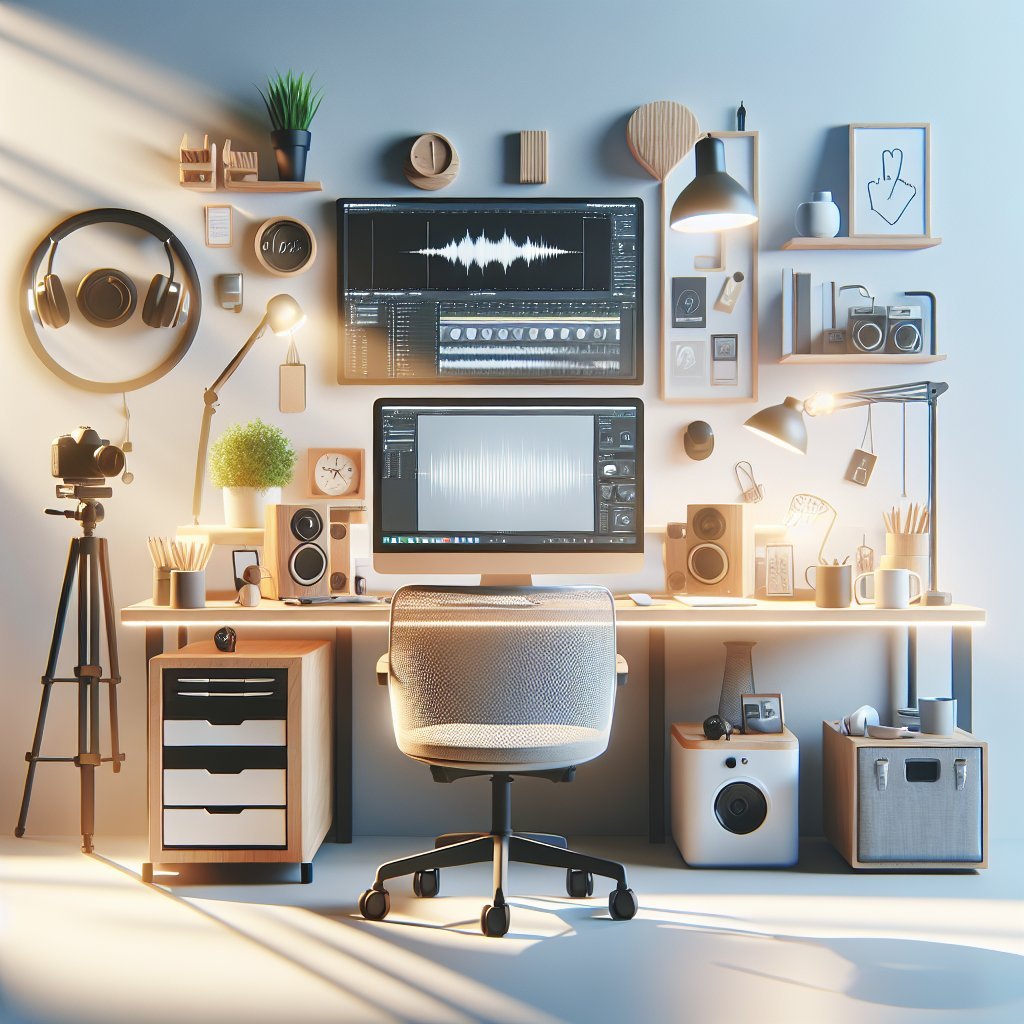
Lighting and sound conditions strongly affect energy levels. During the day, position your desk perpendicular to a window to benefit from natural light without glare. At night, combine a warm desk lamp with softer ambient lighting to prevent harsh contrasts. Avoid overhead fluorescents when possible; they increase eye strain and headaches.
Sound is equally strategic. If silence feels distracting, experiment with tools like white noise, coffee‑shop ambience, or lyric‑free music. Noise‑canceling headphones can transform a noisy home into a productive studio. Create a few saved playlists tailored for different tasks—writing, design, or brainstorming—so you can trigger focus quickly without decision fatigue.
7. Build a Modular Storage System for Gear and Cables
Messy cables, scattered gear, and missing chargers burn time and attention. Use a modular storage approach: a drawer unit or shelf with clearly labeled bins for cameras, microphones, stationery, and backup devices. Adopt small cable organizers, Velcro ties, and labeled pouches for chargers and adapters. Keep only daily‑use items within arm’s reach; everything else lives in labeled storage.
Create a “tech reset” routine at the end of each day. Wind cables, return gear to its bin, and clear the desktop surface. This five‑minute habit prevents gradual chaos, making it easy to start each morning with a tidy, friction‑free environment. Organized access to your tools keeps you in flow instead of constantly hunting for equipment.
8. Embed Time‑Blocking Tools into Your Workspace
Your workspace should remind you what to do and when. Keep a visible time‑blocking tool directly in your line of sight—a wall calendar, whiteboard, or desk planner. At the start of the day, assign specific blocks for deep client work, marketing, admin, learning, and breaks. Color‑code categories so your schedule is readable at a glance.
Pair physical planning with a simple digital calendar. Set alarms for key transitions: start deep work, switch to meetings, shut down. A small timer on your desk or a Pomodoro app reinforces focused sprints. By integrating time management into the workspace layout, you convert vague intentions into concrete, time‑bound commitments.
9. Create Micro‑Routines for Context Switching and Breaks
Freelancers juggle multiple clients, platforms, and roles. Without structure, context switching is draining. Design short, physical routines that mark transitions. Before starting a new project block, close all unrelated tabs, jot down the next three actions on a sticky note, refill your water, and stretch for one minute.
Use break cues baked into your environment: a yoga mat rolled beside the desk, a water bottle you empty every few hours, or a small plant you tend during micro‑breaks. These embodied rituals refresh your focus without leading you into social media spirals. Consistent patterns reduce mental friction and make it easier to return to demanding tasks.
10. Personalize for Motivation Without Visual Overload
A sterile workspace can feel demotivating, but over‑decorating creates distraction. Aim for intentional, minimal personalization. Choose two or three items that reinforce your identity and goals—perhaps a framed vision board, a motivational quote, or printed testimonials from satisfied clients. Keep them within view but not directly in front of your main monitor.
Add one or two plants to improve air quality and reduce stress; research suggests greenery can enhance attention. Use a cohesive color palette for organizers, containers, and accessories so the space feels calm and professional. The goal is a workspace that feels like your freelance brand: inspiring enough to energize you, restrained enough to keep your attention on the work that pays.